

Apple surprises users with two hidden iOS 26 features


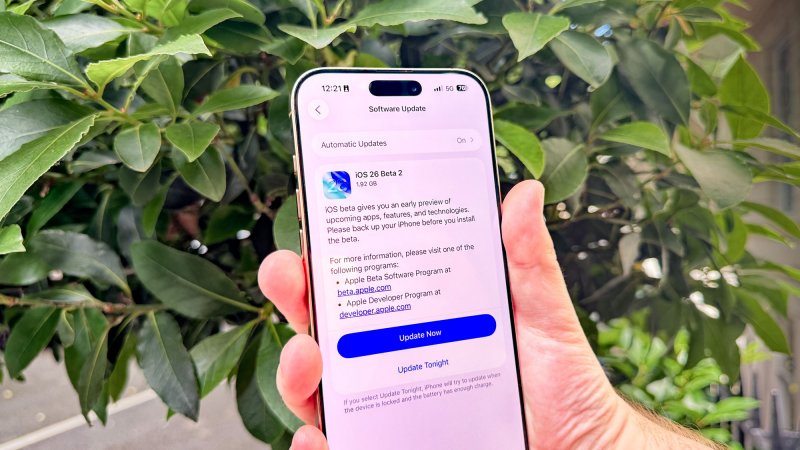
iOS 26 is set to roll out to all users next week, and despite months of beta testing, Apple has saved a couple of surprise features for the public launch.
Among the highlights, app icons can now automatically tint to match your iPhone’s color—or even the color of its case, News.Az reports, citing foreign media.
Last year in iOS 18, Apple unlocked a bunch of new customization options for iPhone users.
But two last-minute additions to iOS 26 could steal the show as some of the most fun customization features yet.
As discovered in the iOS 26 RC, Apple has added two new options under the Customize menu for Tinted app icons.
To access the features in iOS 26:
- Long-press in an empty spot on your Home Screen
- Hit the Edit button that appears in the top-left
- Tap ‘Customize’
- Tap ‘Tinted’
Previously, this menu only provided options for manually setting color tints for your icons.
But in iOS 26 there are two new tint options. You can tint icons based on:
- your iPhone’s color
- or your iPhone case’s color
As you can see in the bottom-left icon pictured below, iOS 26 recognizes that my iPhone 16 Pro’s color is Desert Titanium.
With a quick tap, I can have all my app icons automatically update to match that Desert Titanium finish.
The feature also works with iPhone cases.
While the left-most icon changes your apps to match the iPhone itself, the next icon to its right makes app tinting match your iPhone’s case color.
My iPhone 16 Pro is currently case-less, so it turned all the icons clear. But it should prove very useful for the vast majority of iPhone owners who always use a case.
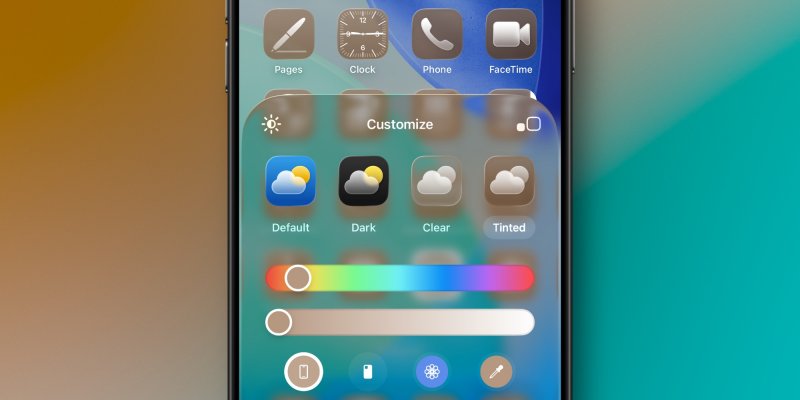 Image: 9to5mac.com


Similar news