


Additional changes include an updated user interface and a model picker, allowing users to choose the AI model best suited for their translation needs.
Google has indicated that more improvements are on the way.
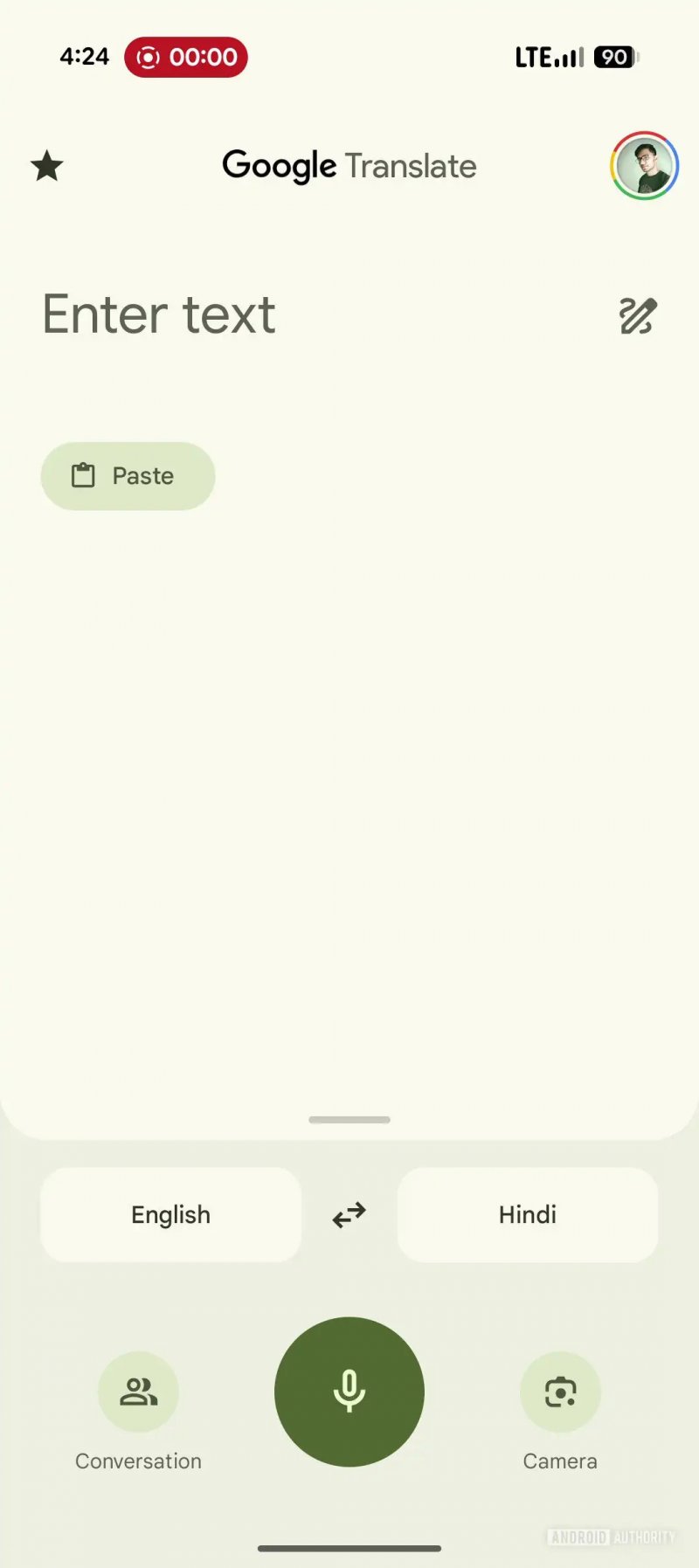 Current Google Translate UI
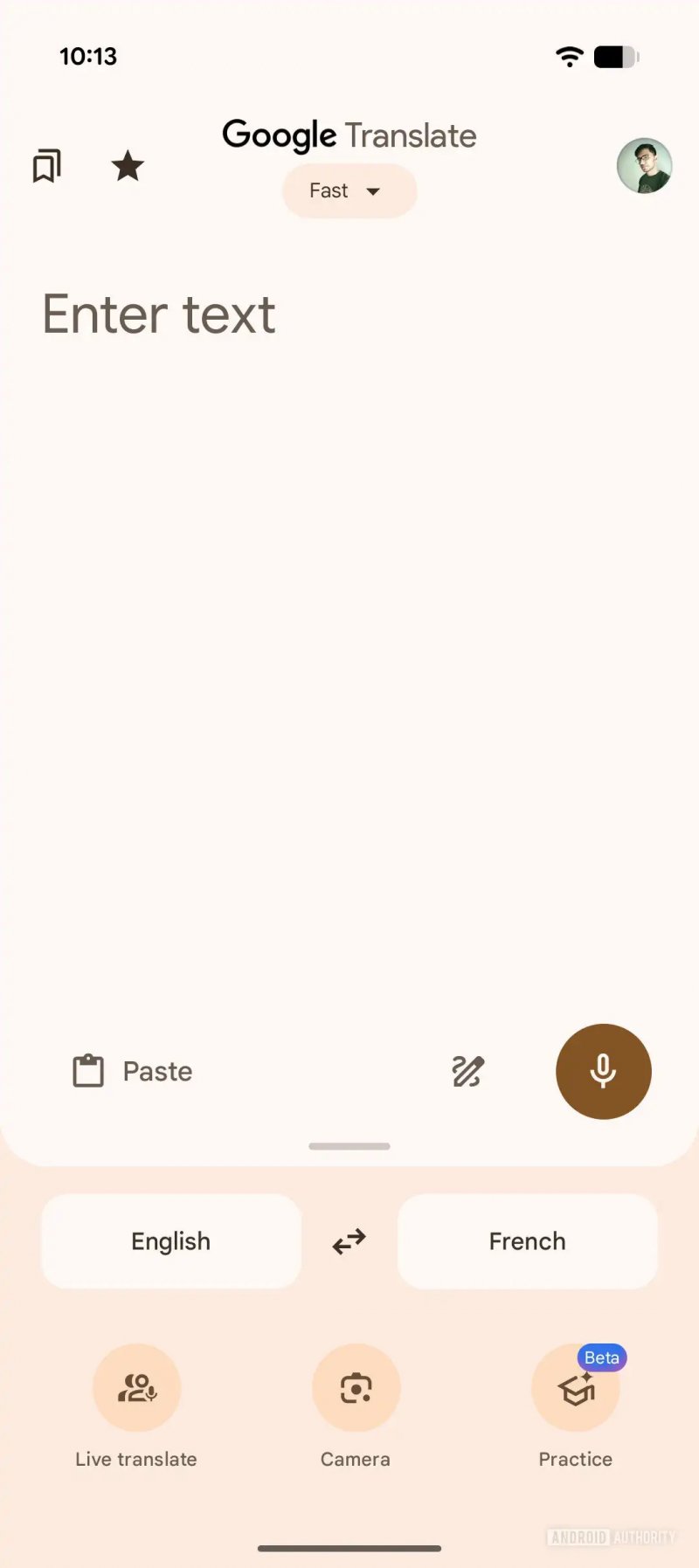 Upcoming Google Translate UI
Google Translate v9.15.114 includes code for more changes to the Translate UI, which we managed to activate ahead of release. In the future, a new row of icons will house the buttons for microphone/voice input, handwriting, and paste. This will make reaching the handwriting and paste buttons easier with one hand.
As you can see, the resultant UI will be cleaner since icons are no longer strewn across the input box, but are placed in a neat row towards the bottom.
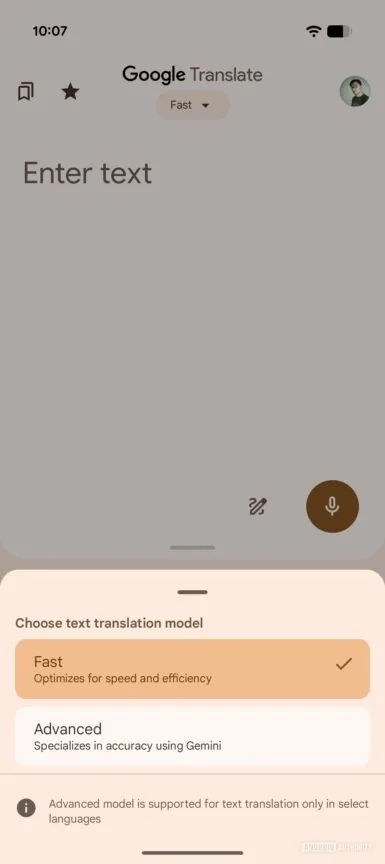
In the above screenshot, you will also notice a new model picker under the Google Translate title. This picker will also be available from the Translate results page.
This model picker will have two options:
- Fast: Optimizes for speed and efficiency
- Advanced: Specializes in accuracy using Gemini
The Fast model seems to provide translations quickly and efficiently, but possibly at the cost of accuracy. It may work for quick and casual use cases. If you need more accuracy, the Advanced model would be for you, as it would use Gemini for accurate results.