

How to use your phone and computer better: simple functions explained


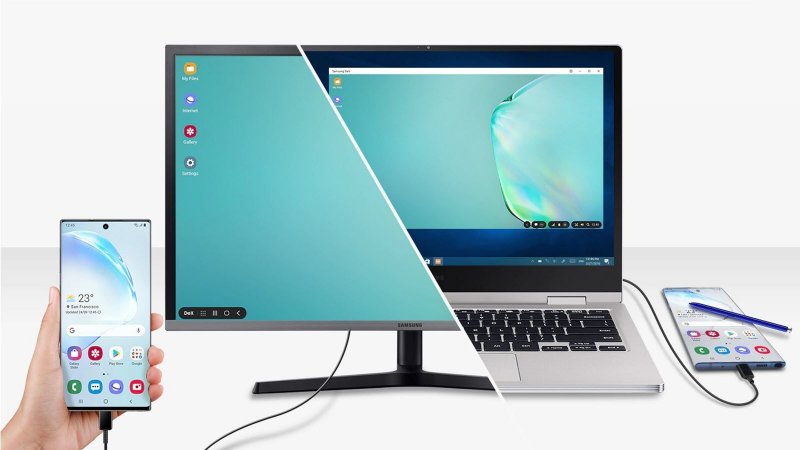
How to perform basic device functions has quietly become one of the most searched categories on the internet, reflecting a simple truth: as our phones, tablets, and computers have grown more powerful, everyday tasks have also become more complex, News.Az reports.
People do not only search for advanced features. Instead, some of the most popular search queries relate to very simple actions, such as how to take a screenshot, how to change a ringtone, how to connect a Bluetooth device, or how to turn off notifications.
These “everyday” tech questions cut across age groups and regions. Teenagers who grew up with smartphones find themselves searching for shortcuts or hidden features. Adults dealing with software updates want to relearn moved menu options. Older users adapting to digital services — banking, messaging, government portals — often look online for step-by-step help. In this way, search engines have become the universal instruction manual for modern devices.
The consistency of these searches has turned them into an evergreen topic. Every time a new version of an operating system is released, or a new device line launches, the familiar questions reappear: how do I screenshot on this phone, how do I adjust volume controls, how do I reset the device, how do I check storage, or how do I update apps. Even people who consider themselves “tech-savvy” occasionally rely on search because the answers are not always obvious. Manufacturers regularly redesign interfaces, reorganize settings menus, and change gestures or shortcuts between software versions.
Behind these queries lies an important shift in consumer technology design. Devices have become more intuitive on the surface, but also more layered. A single tap or swipe can lead to multiple possible outcomes. Gesture-based navigation replaced physical buttons on many smartphones, which made devices sleeker but also required users to learn new muscle memory. On laptops, keyboard shortcuts and trackpad gestures vary between operating systems. The result is that even basic actions can feel unfamiliar when users switch devices, brands, or platforms.
The most common “how to” device searches tend to fall into a few recurring categories. The first is capturing and sharing information. “How to take a screenshot” may be one of the most frequently searched phrases in tech. Whether it is saving a receipt, sharing a message thread, or documenting an error screen, screenshots have become part of daily communication. Yet the method varies significantly between Android phones, iPhones, Windows PCs, Apple laptops, and tablets, so users rely on search to get it right.
Another major category involves customization and control. Users regularly look up how to change wallpaper, set a ringtone, turn on dark mode, adjust screen brightness, or enable accessibility tools such as larger fonts. These options help people personalize devices to suit their preferences or visual comfort, but they are usually hidden deep within settings menus. Searches for how to turn notifications off or silence specific apps also remain popular as people attempt to reduce digital noise and distractions.
Connectivity is the third major theme. Queries such as how to connect Bluetooth headphones, how to share Wi-Fi, how to use hotspot mode, or how to sync devices reflect the fact that most people now operate within a multi-device environment. Phones talk to laptops, earbuds talk to watches, and smart TVs talk to everything. When the connection fails or pairing mode is not obvious, the first instinct is to open a search tab.
Security-related basic functions generate another large pool of searches. Users routinely ask how to change a password, enable fingerprint or face unlock, clear browsing history, or check app permissions. As awareness of privacy and cyber safety grows, people want clearer guidance on how to protect their data even at a basic level. However, because terminology differs between companies, many users are unsure where to start without outside help.
There is also a practical reason why “how to perform basic device functions” continues to trend: device churn. Millions of consumers replace their phones every one to three years. Others switch ecosystems entirely when upgrading computers or tablets. What felt simple on one device may not translate to another. Search engines, forums, and help centers therefore fill the knowledge gap typically left by short printed manuals.
Software updates further complicate matters. A redesign of system settings or control panels can make familiar tasks temporarily confusing. Users who suddenly cannot find a common feature turn to search for reassurance and updated instructions. That is why guides on basic functions remain relevant year after year — the layout evolves, but the need to perform simple tasks never disappears.
From a social perspective, these searches tell a broader story about digital inclusion. The ability to perform basic device functions is increasingly linked to participation in modern life. Booking appointments, accessing education materials, signing into services, and communicating with friends and colleagues all depend on effectively using devices. When users struggle with simple functions, they may feel left behind, embarrassed, or dependent on others. Search tools provide a private way to learn at one’s own pace.
There is also a generational dimension, but not always in the way stereotypes suggest. Younger users may be confident with social media but uncertain about more technical settings or file systems. Older users, meanwhile, often show strong interest in learning how to use devices correctly and safely. Both groups rely on the same “how to” guides — the difference lies mainly in context and learning style.
Educational institutions, governments, and businesses increasingly recognize that digital literacy includes more than just knowing how to browse the web. It requires understanding basic device functions, troubleshooting simple problems, and configuring security settings. As a result, many organizations now produce accessible tutorials and online guides to supplement what users search independently.
Manufacturers, too, have begun paying attention. Some companies simplify settings layouts or introduce guided setup tools to reduce frustration. Others invest in support pages and in-device help features that mirror the types of “how to” searches people already make. Artificial intelligence assistants are also playing a growing role, allowing users to ask their device directly how to perform certain actions.
However, the persistence of basic function searches also highlights design challenges. If millions of users must search for how to take a screenshot or find a specific setting, it raises questions about how intuitive the design truly is. Balancing simplicity with advanced functionality remains one of the central tensions in consumer technology.
From a user perspective, the most effective approach to mastering basic device functions is incremental. Learning a few key gestures or shortcuts can transform the experience of using a phone or computer. Familiarizing oneself with the layout of settings, security tools, and storage management also helps build confidence. For those assisting others — whether relatives, customers, or colleagues — patience and plain language are critical. What seems simple to one person may be new territory for another.
The enduring popularity of “how to perform basic device functions” as a search theme reflects the reality that technology is no longer optional. Devices are now utilities, like electricity or water. People expect them to work and to be understandable. When they are not, they seek quick, clear answers — not deep technical theory, but simple explanations they can follow instantly.
Looking ahead, this category of searches is unlikely to fade. As devices become more connected and intelligent, they will also grow more complex behind the scenes. New gestures, sensors, and interaction models will emerge. Voice control and AI guidance may reduce friction, but users will still need to understand core functions. Each new wave of innovation will generate its own cycle of basic “how to” questions.
In essence, these searches remind us that technology adoption is not just about cutting-edge features. It is about everyday usability. The fact that users continue to ask how to perform basic device functions is not a sign of failure. Rather, it shows that people are engaged, curious, and determined to make their tools work better for them. As long as that curiosity continues, the internet will remain full of guides, tutorials, and explanations designed to meet people right where they are — at the intersection of curiosity, necessity, and the sometimes mysterious world of modern devices.


Similar news