

New spyware risk: iPhone users must update and reboot their devices now


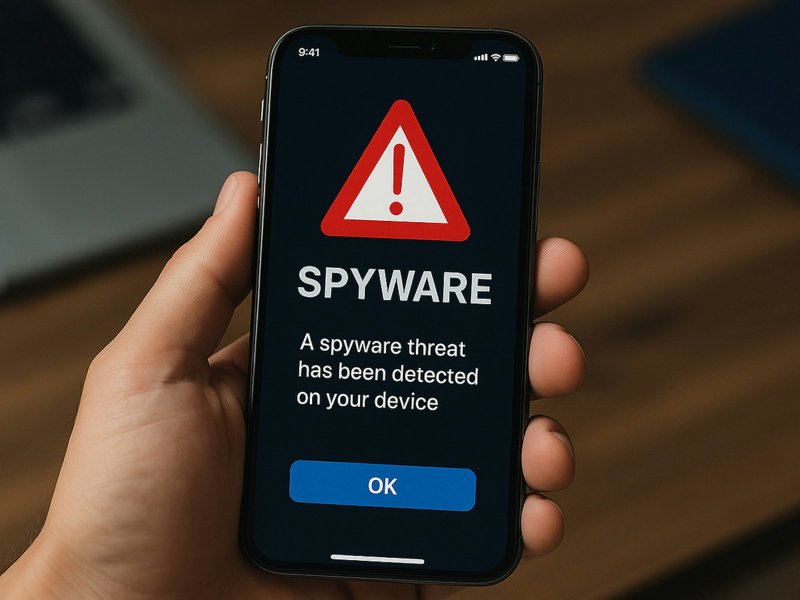
Apple has issued urgent warnings for iPhone users after new spyware attacks were detected targeting its devices.
Users not running one of the two most recent versions of iOS are considered at serious risk, News.Az reports, citing Forbes.
Most iPhone owners need to upgrade to iOS 26 immediately if they have not done so already. For those who recently updated, the installation process automatically powers down and restarts the device. If your iPhone is not on iOS 26.2 or iOS 18.7.3, Apple advises performing a manual restart without delay.
The company’s warnings, first issued before the holidays, revealed that updating to iOS 18.7.3 is not an option for devices such as the iPhone 11 or newer, which are capable of running iOS 26.
Estimates vary on how many users are affected. Some analysts suggest that more than half of iPhones can upgrade to iOS 26 but have not, while other sources provide more nuanced data. What is clear is that hundreds of millions of iPhones are potentially at risk.
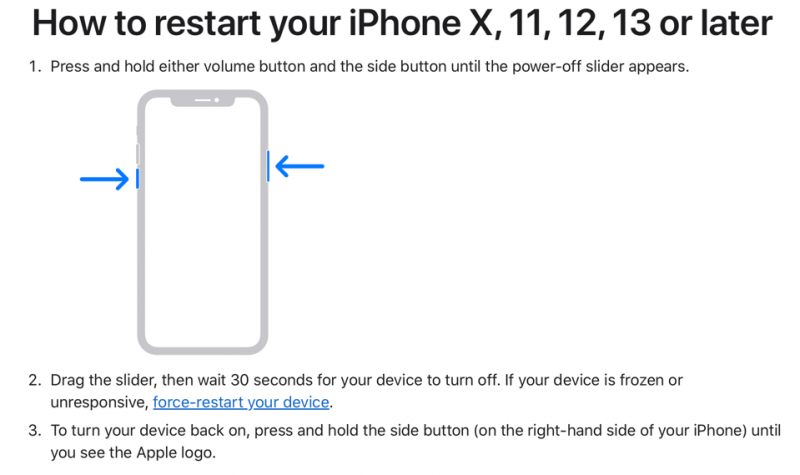
But how you reboot is important. One European cyber agency has just echoed the NSA's own device to “turn phones off and on” weekly. France’s ANSSI says "the complete shutdown of the device stops all processes and removes all software residing only in memory, such as a memory-based, non-persistent spyware.”
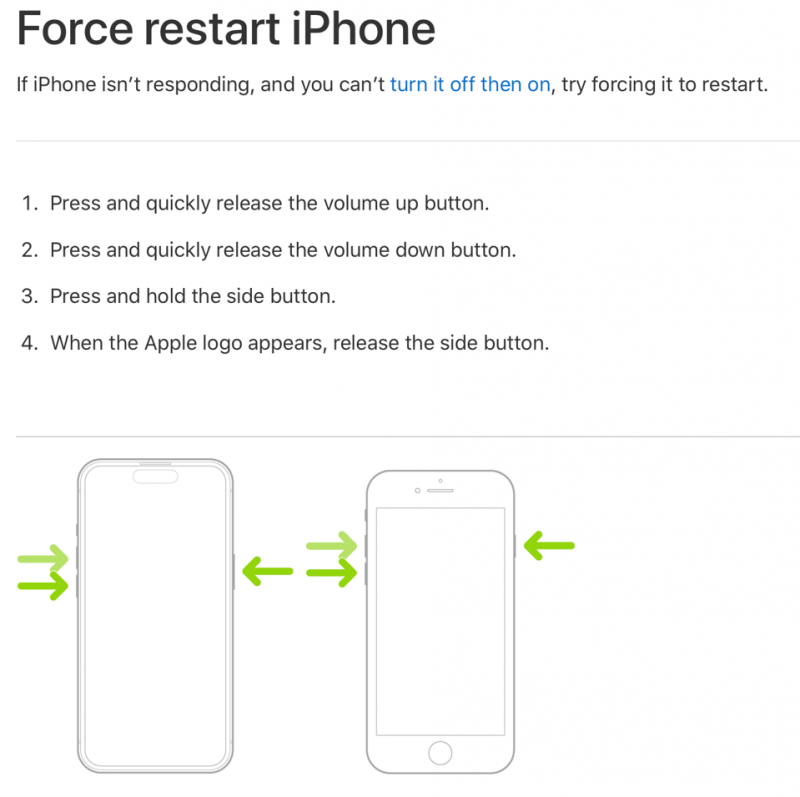
But a restart is good practice anyway. And if you are running outdated firmware, it’s critical and needs to be done regularly. Weekly — at least.
Apple offers two options that are triggered by iPhone hardware and are not fully in software. Either “press and hold either volume button and the side button until the power-off slider appears. Drag the slider, then wait 30 seconds for your device to turn off. If your device is frozen or unresponsive."
If that doesn’t work, you can take a more forceful approach. “Press and quickly release the volume up button. Press and quickly release the volume down button. Press and hold the side button. When the Apple logo appears, release the side button.”


Similar news